A discreet, buyer-oriented guide to planning, provisioning, and maintaining private home networks and local compute in a luxury condominium setting, with a Boca Raton lens.
In ultra-premium residences, the network is no longer a utility. It functions as the home’s operating system: work-from-anywhere stability, multi-room media, whole-home control, security, and the invisible reliability that separates “smart” from simply complicated.
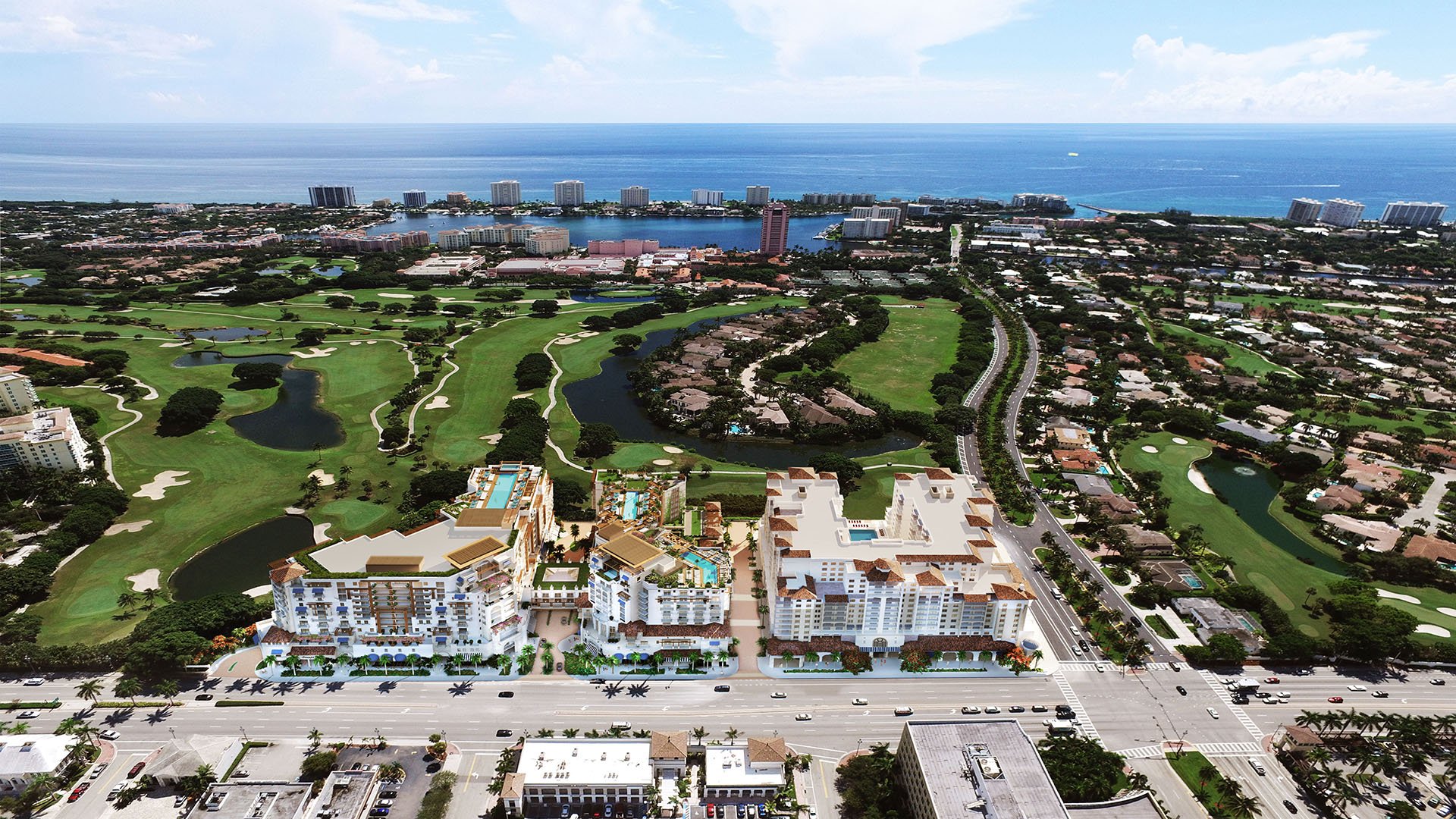
At The Residences at Mandarin Oriental Boca Raton, the logistics of setting up private networks and servers starts with a mindset shift: you are effectively designing a small, private campus inside a vertical community. That means every decision serves two audiences-the owner who expects effortless performance, and a building environment that must remain safe, quiet, and aesthetically intact.
This article focuses on the buyer-side playbook: what to plan, what to request, where projects most often stall, and how to keep the experience discreet from construction through daily life.
A condominium network design is shaped as much by permissions as by technology. Before you select hardware, define the boundary lines.
Your team typically controls everything from the in-unit demarcation inward: the wiring plan, closets, Wi‑Fi layout, equipment selection, and how systems are segmented. The building typically controls what touches common areas: pathways for cabling, risers, any penetrations, firestopping methods, and sometimes the options available for service providers.
The practical takeaway is simple: treat approvals as part of the design, not an afterthought. The most expensive mistakes are rarely the wrong routers-they’re late discoveries that a planned conduit route isn’t permitted, or that a closet can’t support the heat load and airflow.
Luxury buyers often have multiple specialists: a general contractor, interior designer, AV integrator, security vendor, and sometimes a separate IT provider. Without a single accountable lead, the project tends to drift into duplicate cabling, conflicting device requirements, and systems that are technically “installed” but never fully commissioned.
For best results, appoint one principal integrator or technology PM to own:
The structured cabling schedule and labeling standard.
Network architecture (VLANs, Wi‑Fi design, remote access model).
Rack or closet layout, power plan, and thermal plan.
Documentation, testing, and a handoff package you can actually live with.
This is also where discretion is engineered: strong project ownership reduces repeated vendor visits, ad hoc drilling, and last-minute visible equipment.
In high-end residences, technology must be present without being seen. The physical “home” of your network is the decision that dictates nearly everything downstream.
Space and access.
A network closet should be reachable for service without moving furniture or opening decorative panels that are easy to damage. If the residence uses concealed millwork, insist on service clearances-and a plan for future swaps.
Heat and airflow.
Small racks with enterprise-grade gear, PoE switching, and local storage generate heat. If the closet is sealed for aesthetics, plan ventilation that stays silent and does not compromise finishes.
Noise discipline.
Many server-grade components are not designed for quiet living. Choose acoustically appropriate hardware or plan isolation so fan noise doesn’t telegraph into adjacent rooms.
Power and protection.
Your “clean power” strategy is part of luxury, not a gadget upgrade. A properly sized UPS can prevent storage corruption, protect smart-home controllers from brownouts, and keep critical connectivity stable long enough to bridge short outages.
A private network should be structured like a boutique hotel: different audiences, different permissions, one consistent experience.
Most luxury owners benefit from at least three logical networks:
A private owner network for work devices and personal systems.
A guest network isolated from the rest of the home.
An “infrastructure” network for building systems inside the unit, such as lighting processors, shades, climate control interfaces, cameras, and door hardware.
Segmentation reduces the likelihood that a guest device, a vendor laptop, or an inexpensive smart device becomes the weak link. It also cuts down “noise” that can trigger intermittent dropouts in larger smart-home deployments.
If you maintain a second home in Miami, this same architecture translates cleanly. It’s an approach that can feel familiar whether you’re in Boca Raton or in a high-rise environment like 2200 Brickell, where owners tend to expect seamless work and entertainment performance across multiple spaces.
The single biggest quality-of-life difference isn’t peak speed. It’s continuity.
A buyer-oriented redundancy plan often includes:
Two independent internet circuits where available, configured for automatic failover.
A cellular backup path to maintain basic connectivity if primary services fail.
A clear decision on whether you want “always on” remote access to the home-and who manages that security.
Even when the building offers robust infrastructure, treat your in-unit system as its own critical environment. If your residence includes extensive smart home control, even a brief outage can create a cascade: devices reconnecting out of order, voice assistants failing, and entertainment systems requiring manual resets.
Luxury interiors punish retrofits. The winning approach is to overspec the invisible layer so you can under-spec the visible layer later.
A modern plan typically includes:
Dedicated cable runs to media locations, office areas, and Wi‑Fi access point positions.
PoE-capable drops for cameras, touch panels, and select access points.
Extra conduits to strategic locations for future needs, especially if walls will be finished in stone, wood, or specialty plaster.
The logistics detail that matters: insist on labeling and an “as-built” map. Without it, even a simple change becomes exploratory work inside finished walls.
“Home servers” can mean anything from a silent network storage device to a full virtualization stack. In a luxury condo, the best deployments are purpose-driven.
Local servers and storage are commonly used for:
Private media libraries and high-bitrate playback.
Camera recording where owners prefer local retention.
Centralized file storage for a home office.
Running local smart-home services that you want to keep functional even if the internet is down.
However, not everything benefits from living in-unit. The more complex the server environment, the more you must invest in maintenance, monitoring, patching, and physical resilience. The right question isn’t “Can we?” but “Who will support this quietly, on a schedule, without disrupting the home?”
For owners with multiple residences, consider a strategy that standardizes the experience across properties, while tailoring the physical footprint to each home. A beachfront lifestyle property such as 57 Ocean Miami Beach may call for a particularly discreet, low-noise equipment approach that can handle periods of vacancy with minimal hands-on intervention.
Cybersecurity in a private residence most often fails at the “human logistics” layer: too many apps, too many shared passwords, and vendors coming and going.
A practical high-end model includes:
Unique credentials for each vendor and an offboarding process.
Two-factor authentication for remote access.
A secure method for remote support that can be disabled when not needed.
A single place where owners can see what is connected.
For households with staff, define separate access tiers-not just separate Wi‑Fi names. The goal is a calm, controlled environment where changes are intentional and auditable.
Owners often want a home that “just knows.” The network’s job is to be boring: stable, invisible, and unremarkable.
To protect that experience:
Keep smart-home controllers on the infrastructure network, not the same network used for streaming and guest devices.
Avoid stacking too many roles on one device. A firewall should be a firewall; a controller should be a controller.
Plan Wi‑Fi access point placement around materials, not furniture. Stone, mirror, and metal can dramatically affect coverage.
A comparable design mindset shows up in wellness-forward residences like The Well Coconut Grove, where the goal is not visible tech, but an environment that supports daily life without calling attention to the machinery behind it.
In luxury, installation isn’t the finish line. Commissioning is.
Your project should conclude with:
A tested failover plan (internet and critical power) that has been demonstrated.
A Wi‑Fi survey or performance validation, not guesswork.
A labeled rack and a photographed patching layout.
A written “owner quick guide” that explains what to do if something goes down.
A service agreement or a clearly defined support pathway.
The quiet handover standard is this: if you’re out of town, a trusted provider can resolve common issues without asking you to FaceTime the closet.
Networks age faster than interiors. The best owners plan for lifecycle.
A sensible approach is to treat the network like other building systems:
Expect periodic refresh of Wi‑Fi and security components.
Keep documentation current so upgrades are straightforward.
Avoid one-off, proprietary choices that make future service expensive.
From a resale perspective, a well-documented, professionally commissioned infrastructure can be a quiet value-add-especially for buyers who run businesses, manage investments, or expect uninterrupted connectivity.
Do I need a “server,” or is a high-end router enough? Many owners only need robust networking and storage; a true server is best when there is a specific local workload.
What is the most common mistake in luxury condo network builds? Under-planning the physical closet-especially heat, noise, and service access once finishes are complete.
Should I prioritize faster internet speed or redundancy? Redundancy usually improves daily life more than peak speed by preventing outages and instability.
How many Wi‑Fi access points do luxury residences typically need? It depends on layout and materials; a proper design places access points for coverage, not for symmetry.
Is it safe to give vendors remote access to my home network? It can be, if access is time-limited, authenticated, logged, and removed when the vendor relationship ends.
Can I keep security camera recordings local inside the unit? Yes, many owners prefer local retention, but it requires proper storage, power protection, and maintenance.
Will smart-home devices work better on a separate network? Yes, separating infrastructure devices from guests and streaming reduces conflicts and improves reliability.
What should I ask for at handover? An as-built network map, labeled rack, credentials management plan, and a clear support process.
How do I keep the network discreet in a design-forward interior? Use hidden millwork with service clearances, quiet hardware, and a cabling plan that avoids visible retrofits.
Does a well-designed network matter for resale? It can, particularly for buyers who value turnkey performance, security, and documented systems.
For a tailored shortlist and next-step guidance, connect with MILLION Luxury.
If branded residences are on your mind — as a home or as an allocation — we would be glad to share what we are seeing, privately.
Begin a quiet conversation