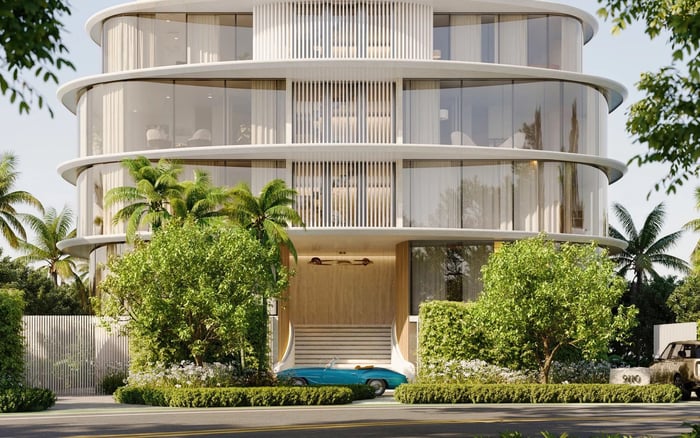
A practical MILLION guide for family buyers assessing smart-home command centers in a penthouse search, with emphasis on privacy, safety, daily routines, support, and long-term flexibility.

In a South Florida penthouse search, the most important room may not always be the primary suite, the media lounge, or the terrace. Increasingly, family buyers are evaluating the smart-home command center with the same seriousness they apply to views, ceiling heights, and private elevator access. The reason is straightforward: in a large residence, technology is not an accessory. It is the operating layer that shapes morning routines, privacy, sleep, entertainment, climate comfort, and the way children, guests, staff, and service providers move through the home.
A command center can mean different things from one property to another. In some residences, it is a dedicated equipment room with structured wiring, network racks, processors, and back-up components. In others, it is a wall panel, tablet interface, or app-based ecosystem that controls lighting, shades, climate, audio, access, cameras, leak sensors, and pool or terrace features where applicable. For a family, the essential question is not whether the system looks impressive. It is whether it performs predictably under the pressure of real life.
That distinction matters in South Florida, where penthouse living often combines entertaining, seasonal occupancy, multi-generational use, staff access, and extended periods away. A system that feels elegant during a showing can feel fragile once school schedules, visiting grandparents, weekend guests, and remote management enter the picture.
The best evaluation begins with the family’s rhythm. Who arrives first in the afternoon? Which rooms should stay cool before school pickup? Can a child turn on bedroom lights without opening full-home controls? Can a house manager access service areas without entering private zones? Can grandparents use a simple keypad rather than an app? These questions reveal whether the command center was designed for household intelligence or simply installed as a luxury feature.
In search shorthand, families may begin with Penthouse, High-floors, Brickell, Miami Beach, Sunny Isles, or Ultra-modern criteria, but the technology review should quickly become more personal. A high-floor residence with panoramic glass may need carefully calibrated shading and cooling scenes. A waterfront home may benefit from leak detection and remote monitoring. A residence used as a second home may require a clean handoff between owner mode, guest mode, and away mode.
During a tour, ask for a live demonstration. Not a polished overview, but a practical sequence: arrive home, unlock the private entry, activate evening lighting, lower selected shades, set bedroom temperatures, play music in one room only, and then shut down public areas for the night. If the demonstration requires multiple apps, unclear passwords, or a technician on standby, that is useful information.
For families, privacy architecture is as important as lighting design. A smart-home system should be able to separate parents, children, guests, staff, and vendors into clear permission levels. The goal is not complication. It is discretion.
A child should not be able to unlock every entry point from a tablet. A guest should not retain access after a weekend stay. A vendor should not have permanent codes unless the family expressly wants that. A house manager may need practical authority without access to private cameras or personal spaces. In a well-considered system, permissions can be created, limited, reviewed, and revoked.
Cameras require particular sensitivity. Families should understand where cameras are located, whether they record, how footage is stored, who can view it, and how access is removed after closing. The same caution applies to microphones, voice assistants, video intercoms, and cloud-based services. A penthouse may be visually private because of its height, but digital privacy depends on ownership, passwords, account transfers, and disciplined setup.
A command center should make the home calmer, not more dependent on a fragile chain of devices. Ask what happens if the internet goes down. Ask whether basic lights, climate, shades, and access can still function. Ask whether the system has been hardwired in critical areas or relies heavily on wireless components. Ask where the network equipment is located and whether it is properly ventilated.
Families should also ask about documentation. A premium residence should ideally come with system maps, device schedules, warranty information, installer contacts, service history, and administrative credentials delivered through an orderly handover. Without that, even a sophisticated system can become opaque. The buyer may inherit technology without the knowledge needed to operate or maintain it.
The most elegant setups are often the least theatrical. They reduce friction. They make a late arrival feel seamless. They let a parent adjust a child’s room without waking the household. They allow a terrace dinner to shift from sunset to evening with one scene. They keep private spaces private and service spaces efficient.
Before an offer, a buyer should understand the scope of the system, the age of key components, and whether any subscriptions or service contracts are required. It is reasonable to ask which systems are integrated and which operate separately. Lighting, shading, climate, audio, security, access control, networking, and environmental sensors may all appear on one interface, but that does not mean they are equally current or equally well supported.
A family should also consider the learning curve. If the system requires a specialist for every small adjustment, ownership may feel constrained. If scenes can be changed by a trained owner or house manager, the home will adapt more easily as children grow, routines change, or seasonal use shifts.
The handover should be treated as part of diligence. Request administrative access, passwords reset at closing, app ownership transfer, code deletion, and a tutorial for the household. If staff will manage the home, they should be included in training. If the residence will be used seasonally, create away-mode protocols before the first extended absence.
Technology ages differently from stone, millwork, or a view corridor. A system that is closed, undocumented, or difficult to service may become a future objection, even if it once represented the height of convenience. A flexible, well-documented infrastructure is easier for a future buyer to understand and personalize.
Family buyers should therefore think in layers. The most valuable layer is infrastructure: wiring, network stability, equipment access, ventilation, and serviceability. The next layer is integration: how smoothly major household functions work together. The final layer is interface: the panels, apps, keypads, and voice controls the family touches every day. Interfaces can change. Poor infrastructure is harder to correct.
A penthouse with intelligent technology should feel serene, not performative. Its command center should recede into the daily elegance of the home, allowing the family to focus on privacy, comfort, school mornings, travel, entertaining, and rest.
What is a smart-home command center in a penthouse? It is the central system or group of systems that manages functions such as lighting, shades, climate, audio, access, cameras, and network controls.
Should family buyers prioritize brand names or functionality? Functionality should come first. A recognizable platform matters less than reliable performance, clear permissions, and strong support.
What should be tested during a showing? Test real routines such as arrival, bedtime, guest access, shade control, climate changes, and shutting down entertaining areas.
Why are permissions important for families? Permissions help separate access for parents, children, guests, staff, and vendors so the home remains convenient without sacrificing privacy.
Can smart-home systems create privacy risks? Yes, if old accounts, camera access, door codes, or cloud services are not reviewed and transferred properly at closing.
What documents should a buyer request? Ask for system diagrams, device lists, service records, installer contacts, warranties, subscriptions, and administrative credential procedures.
Is hardwired technology better than wireless? Critical functions often benefit from stable infrastructure, but the right answer depends on the residence, system design, and maintenance history.
How should seasonal owners think about command centers? They should focus on away modes, remote monitoring, leak alerts, climate stability, access logs, and clear protocols for staff or managers.
Can an outdated system affect resale? It can. Future buyers may discount systems that are difficult to update, poorly documented, or dependent on limited service options.
What is the most important takeaway for family buyers? Treat the command center as core household infrastructure and evaluate whether it supports privacy, safety, comfort, and long-term adaptability.
For a tailored shortlist and next-step guidance, connect with MILLION.
If branded residences are on your mind — as a home or as an allocation — we would be glad to share what we are seeing, privately.
Begin a quiet conversation