A refined guide to evaluating home office camera lighting in South Florida luxury residences, with emphasis on security clarity, workday ease, design restraint, and long-term resale appeal.
A home office is no longer judged only by millwork, a handsome desk, or a commanding view. In South Florida’s prime residences, it is increasingly evaluated as a camera-ready environment: a place where video calls look polished, security visibility remains clear, and daily controls feel effortless. The most successful rooms do not announce their technology. They let it recede into architecture, lighting, and routine.
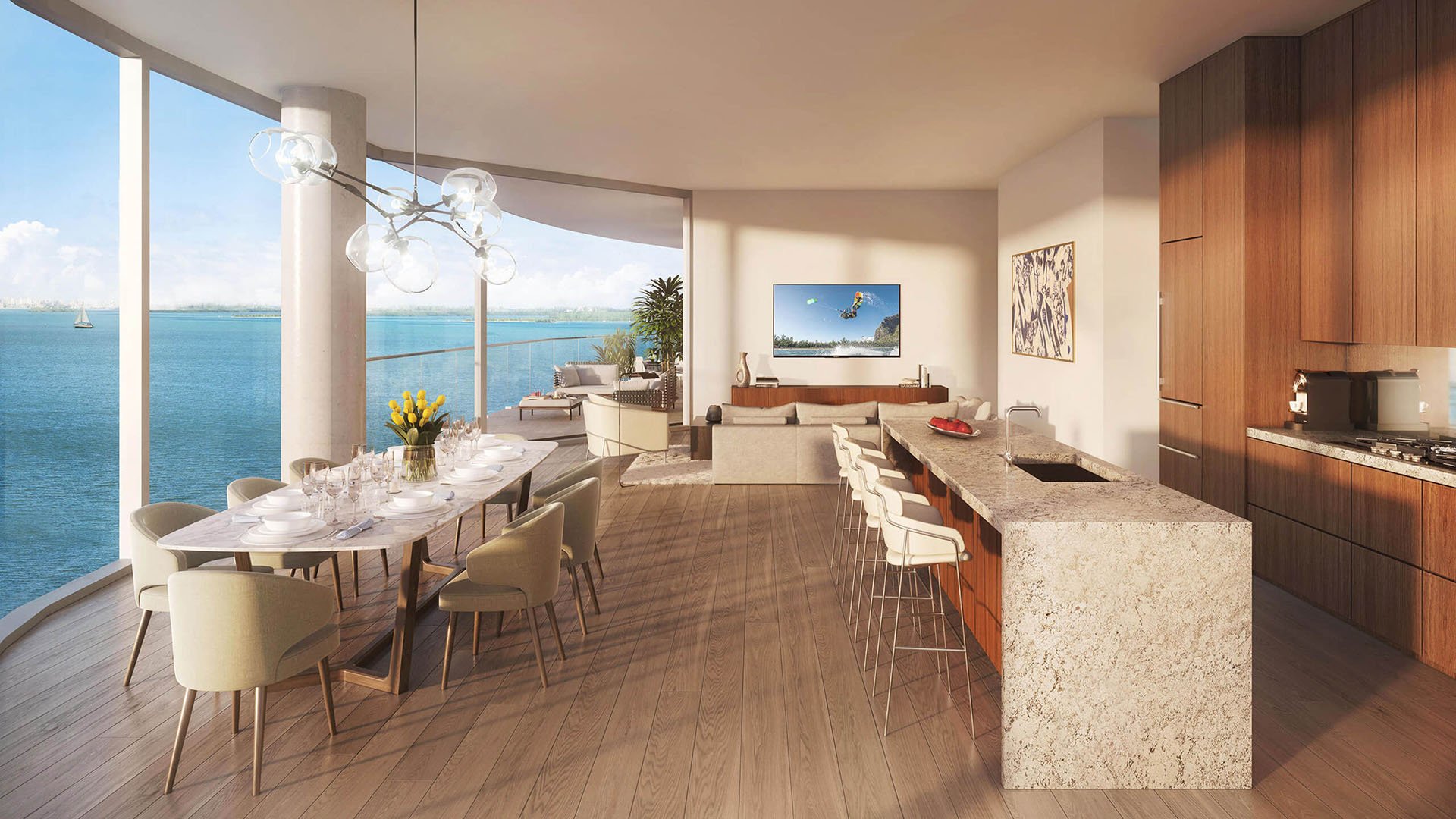
Camera lighting is not simply about looking better on screen. It shapes how a room performs when the owner is working late, when a household manager checks a secure area, or when a buyer considers whether the office can support executive-level work. In Brickell, Aventura, waterfront Miami, and private gated enclaves, offices often include glass, views, reflective finishes, and intense daylight. Those elements can be beautiful in person yet difficult for cameras unless the lighting plan is deliberate.
For a luxury buyer, the goal is balance: flattering illumination for conferencing, reliable visibility for security, and a room that still feels calm. The best solutions are layered, discreet, dimmable, and coordinated with privacy expectations.
Many owners begin with the chandelier, recessed lights, or a decorative lamp. A better evaluation begins from the camera’s point of view. Sit where the user actually works, activate the camera, and study what the lens sees. Is the face evenly lit? Is the background too bright? Does glass behind the desk turn the person into a silhouette? Does polished stone, lacquer, or a glossy art frame create glare?
A camera reads light differently than the human eye. A room that feels luminous may still appear harsh, flat, or shadowed on screen. Desk location matters as much as the fixture package. A window behind the chair can be dramatic during a showing, but it may make daily video calls frustrating. Side light can be elegant, but if it is too strong, it can create distracting shadows. Front-facing, softened light is usually the most forgiving.
In South Florida, evaluate the room at multiple times of day. Morning light, midday brightness, and late-afternoon glare behave differently, especially near water or high-rise glass. If the office opens to a balcony, test the camera when exterior light is strongest and when interior lights are on after sunset.
Security-conscious owners often want visibility at an office entry, safe area, art wall, or equipment cabinet. The challenge is to support security without making the office feel like a control room. Effective camera lighting improves contrast at doors, reduces dark corners, and avoids overexposed windows that obscure movement.
Evaluate whether the room has clear, even light near thresholds. If a camera is intended to identify someone entering the office, the entry zone should not be backlit by a brighter hallway or window. Lighting should help the camera see faces, not just silhouettes. If art, collectibles, or documents are present, avoid lighting that creates hot spots or reflections that make camera review less useful.
Privacy is equally important. A luxury office may contain confidential documents, family schedules, or financial information. Camera placement and lighting should be designed so security needs are met without broadcasting sensitive desk surfaces. In many cases, the best view is toward the entry and general room envelope, not directly down onto the work surface.
The most elegant lighting plan fails if the owner has to manage too many switches before every call. Convenience should be evaluated as a daily ritual. Can the room shift from reading mode to video-call mode with one simple scene? Can shades, task lighting, and ambient light work together? Is the camera view consistent in the morning and evening?
A practical setup usually includes layered lighting: ambient illumination for the room, soft front light for the person, task lighting for documents, and controlled background light for depth. Each layer should be dimmable. The goal is not maximum brightness, but control. A soft, predictable scene is more valuable than an impressive fixture that creates glare.
New-construction residences often provide an opportunity to integrate these decisions early, particularly when the owner can coordinate electrical locations, low-voltage wiring, shade control, and built-in cabinetry before finishes are complete. In existing homes, the experience can still be refined through lamp placement, shade adjustments, dimmers, and carefully selected fixtures that do not fight the architecture.
Ultra-modern interiors can be unforgiving on camera. Pale stone, glass partitions, metal accents, and large-format windows may look exceptional in person but create reflections or contrast issues on video. A strong evaluation considers both the live experience and the screen experience.
Look for soft sources rather than exposed points of light. Concealed linear lighting, shaded lamps, diffused sconces, and indirect cove lighting can help the room feel composed. If a decorative pendant is present, confirm that it does not sit directly in the camera frame or cast sharp shadows across the face. If the desk faces a feature wall, the background should be subtly illuminated so the image has dimension without distraction.
Color consistency matters. Mixing very warm decorative lamps with cool overhead lights can make skin tones and materials look uneven. A restrained lighting palette feels more expensive and photographs better. For buyers considering future resale, this subtle discipline can make the office feel current without becoming gadget-driven.
South Florida’s light is one of its great luxuries, but it demands respect. Waterfront reflections, white terraces, floor-to-ceiling glass, and deep overhangs can all affect camera performance. In Coral Gables, a mature landscape may produce dappled shadows across a study. In a Brickell tower, neighboring glass may intensify glare. In Aventura, wide views can shift dramatically as the sun moves.
Window treatments are not optional in a serious camera-ready office. Sheers can soften daylight, while blackout or solar shades can bring consistency when the sun is too intense. The best rooms allow the owner to tune the environment without sacrificing the view entirely. If privacy glass, motorized shades, or layered drapery are already part of the design, confirm that they support video calls and security visibility, not only nighttime ambiance.
Also consider climate and lifestyle. A door opening to a terrace, pool deck, or exterior corridor may introduce sudden brightness changes. Outdoor lighting visible through glass can create reflections at night. The more transparent the architecture, the more important it becomes to test the camera under real conditions.
Before purchasing or renovating, buyers should ask direct but elegant questions. Where will the primary desk sit? What does the camera see behind the user? Can the lighting be controlled from the desk? Are outlets and data locations aligned with a clean installation? Will monitors, cameras, and task lamps require visible cords?
A high-end office should not depend on improvisation. If a room is marketed as a study or executive office, it should be possible to imagine a polished call without moving furniture or closing every shade. The strongest spaces feel effortless because the hard work has been handled in the plan.
For resale, the value is not in a specific device, which may become dated, but in the infrastructure and adaptability. Good lighting, thoughtful wiring, shade control, flexible furniture placement, and a clean background all remain useful as technology changes. Buyers notice rooms that are ready for contemporary life without appearing overbuilt.
Walk the room with the camera on. Test daylight, evening light, and shaded conditions. Check the face, the background, the entry door, and any reflective surfaces. Confirm that the lighting supports both work and security without exposing private documents. Ask whether a guest, assistant, or future owner could understand the controls quickly.
Then step back and judge the feeling. Does the room still feel residential, calm, and refined? The best camera lighting is not theatrical. It is quiet, flattering, secure, and dependable. In the luxury market, that restraint is often what separates a merely attractive office from a truly useful one.
What is the first thing to check in home office camera lighting? Start with the camera view from the actual desk position. Look for backlighting, glare, shadows, and distracting reflections.
Should the desk face a window? It can, but only if daylight is controlled and the camera image remains balanced. A window behind the chair often creates silhouette issues.
How does lighting improve security in a home office? Even lighting near doors and key zones helps cameras capture clearer movement and faces. Avoid bright windows or dark corners that reduce visibility.
Are decorative fixtures enough for video calls? Usually not by themselves. Decorative lighting should be supported by soft, dimmable front and ambient light.
What role do shades play? Shades help control South Florida glare and keep the camera image consistent. They are especially useful in rooms with water views or large glass.
Can camera lighting affect resale? Yes, when it makes the office feel polished, adaptable, and easy to use. Buyers value infrastructure more than dated devices.
Is brighter always better? No. Controlled, layered light is more flattering and more functional than excessive brightness.
Where should a security camera point in an office? It should generally cover the entry and room envelope without exposing sensitive work surfaces. Privacy should be part of the plan.
What makes a system convenient? Simple scenes, intuitive controls, and coordinated shades make the office easier to use every day. The owner should not need to adjust multiple lamps manually.
What is the best way to shortlist comparable options for touring? Start with location fit, delivery status, and daily lifestyle priorities, then compare stacks and elevations to validate views and privacy.
For a tailored shortlist and next-step guidance, connect with MILLION.
If branded residences are on your mind — as a home or as an allocation — we would be glad to share what we are seeing, privately.
Begin a quiet conversation