A buyer-focused guide to evaluating smart-home command centers for South Florida luxury residences, with emphasis on oceanfront, bayfront, and city penthouse living.
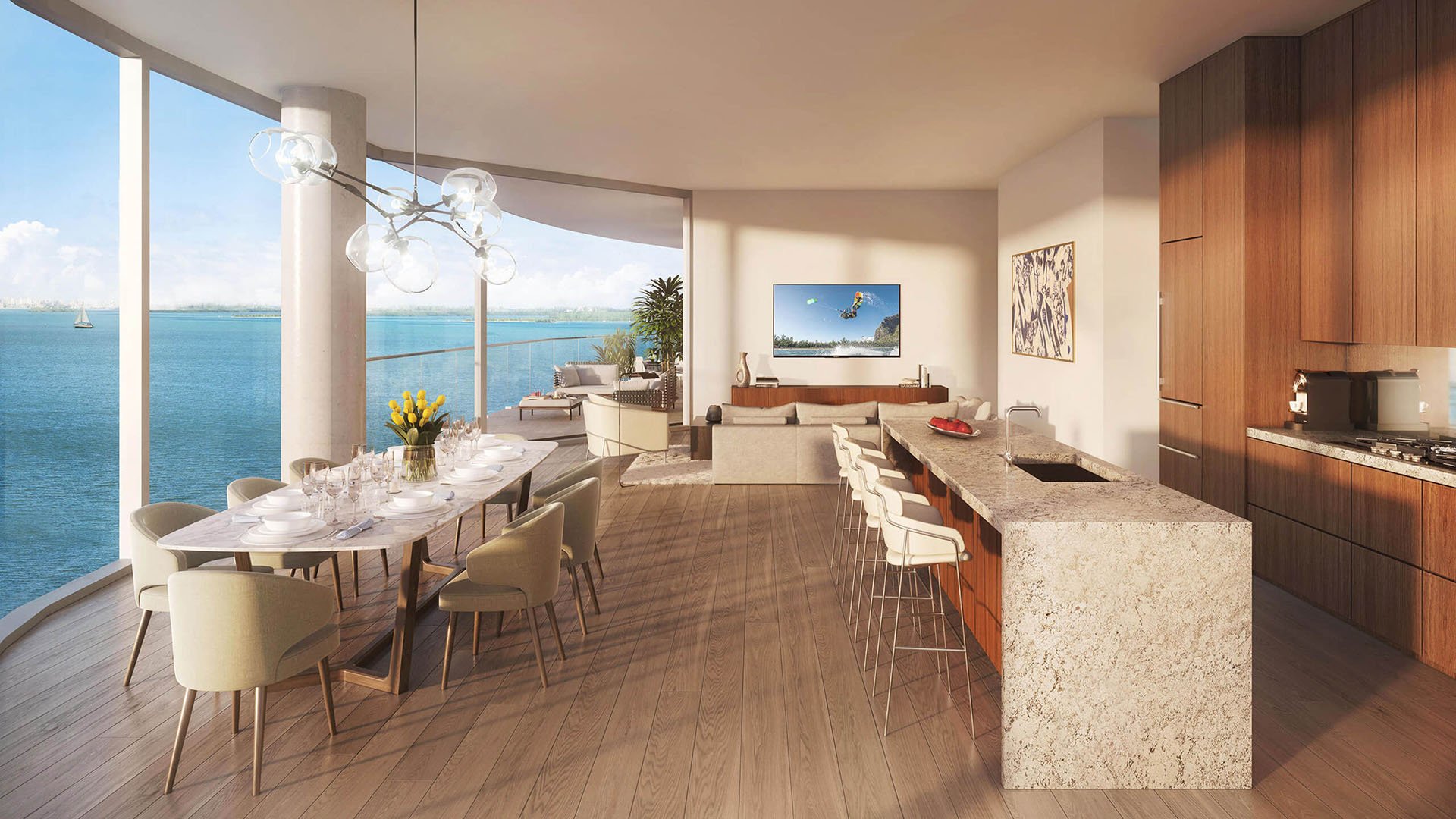
In South Florida’s most refined residences, the smart-home command center has moved well beyond novelty. It is no longer simply a wall-mounted screen for turning lights on and off. It is the home’s private operating layer, coordinating comfort, security, access, lighting, shading, climate, entertainment, and service routines with as little friction as possible.
For buyers comparing an oceanfront residence, a bayfront home, or a Brickell penthouse, the question is not whether the property has technology. The question is whether that technology understands the lifestyle, the architecture, and the setting. A successful system should feel almost invisible day to day, yet remain robust enough to manage arrival, entertaining, privacy, staff access, and seasonal use.
The best evaluation begins with a simple principle: the command center should serve the residence, not dominate it. Screens, keypads, voice interfaces, and mobile controls are only the visible elements. The true value is behind the walls, in the wiring, programming logic, network design, equipment placement, and long-term service plan.
Oceanfront living asks a command center to perform with particular discretion. The residence is often designed as a retreat, where the daily rhythm is shaped by light, view, exterior exposure, and privacy. Buyers should evaluate how the system manages the transition from bright daytime openness to evening intimacy. Shading, lighting temperatures, balcony access, climate response, and security settings should work as a coordinated sequence rather than a series of separate tasks.
In this setting, serviceability is essential. Ask where equipment is located, how accessible it is, and whether critical components can be maintained without disrupting the primary living areas. A beautiful interface loses value if the underlying system is difficult to access, poorly labeled, or dependent on a single specialist who is hard to schedule.
Privacy deserves equal attention. Oceanfront homes often balance expansive glass, outdoor living, and a desire for seclusion. The command center should provide clear modes for entertaining, family use, night settings, and absence. The ideal design lets an owner simplify the home with one command: closing shades, adjusting lighting, securing entries, and setting climate without moving room to room.
Bayfront residences tend to emphasize flow. Guests move between interior rooms, terraces, outdoor dining, lounges, docks, and water-facing amenities. Here, the command center should excel at scenes: arrival, sunset cocktails, dinner, late-night quiet, morning reset, and away mode. Each scene should feel natural, not theatrical.
If a property includes a marina context or boating lifestyle, evaluate how the home’s systems support arrivals and departures. The most useful systems reduce friction. Lighting should guide circulation. Access control should accommodate trusted guests or staff without compromising privacy. Outdoor audio and lighting should be easy to manage in zones, allowing the owner to entertain generously while preserving control over the property’s mood.
The key comparison point is flexibility. A bayfront home may host a small family dinner one evening and a larger gathering the next. The command center should allow the residence to scale gracefully. Look for intuitive zone management, simple overrides, and clear separation between public entertaining spaces and private bedroom areas. Complexity may sit behind the scenes, but the user experience must remain calm.
A city penthouse brings a different set of priorities. The residence sits within a larger building ecosystem, so the command center must coexist with elevators, access protocols, building services, acoustic conditions, lighting design, and sometimes more formal arrival sequences. Buyers should ask how the private system coordinates with the building’s shared infrastructure, and where its boundaries begin and end.
Lighting and shading are especially important in a high-rise setting. A well-programmed penthouse can shift from morning brightness to work mode, dinner ambience, and late-night skyline calm without visual clutter. The interface should make these changes simple, especially in open-plan living areas where one adjustment can influence the entire mood of the residence.
Acoustics and entertainment deserve careful review. A penthouse may include media rooms, private offices, lounges, and primary suites that operate simultaneously. The command center should prevent conflict between zones, allowing music, video, calls, and quiet spaces to coexist. For a buyer who works from home, hosts collectors, or receives guests often, this level of coordination is a luxury in itself.
A command center should be judged first by the owner experience. Stand in the primary bedroom, kitchen, main salon, terrace, and entry gallery. Ask how many steps it takes to perform everyday actions. Can a guest dim the lights without instruction? Can staff access only what they need? Can the owner create privacy instantly?
The best systems offer multiple control paths: elegant keypads for frequent actions, mobile control for remote use, centralized touchscreens for broader management, and discreet voice or sensor-based routines where appropriate. None should feel mandatory. A home is stronger when the owner is not trapped by a single device or interface.
Buyers should also request a demonstration of failure states. What happens if a tablet is misplaced, a network component needs attention, or an app is temporarily unavailable? A serious residence should still be livable. Lighting, access, climate, and core functions should not depend on a fragile chain of convenience devices.
Behind every polished interface is infrastructure. Wiring, network hardware, equipment ventilation, rack organization, labeling, software documentation, and access credentials all determine whether the system will age gracefully. A visually stunning home with undocumented controls can become frustrating when ownership changes or upgrades are required.
Ask whether the system has clean documentation, including device maps, network diagrams, passwords held in a secure manner, programming notes, and contact information for service. Ask whether the home can support future additions, such as new lighting scenes, expanded camera coverage, updated audio zones, or enhanced wellness features. Luxury technology should not feel disposable.
Cybersecurity should be treated as part of the residence’s privacy plan. The command center may touch cameras, locks, climate, entertainment, and guest networks. Segmented access, carefully managed credentials, and thoughtful permissions can help keep daily convenience from becoming unnecessary exposure. In a high-value home, digital discipline is as important as physical discretion.
For an oceanfront property, prioritize retreat, resilience, shade control, and privacy modes. For a bayfront home, prioritize entertaining scenes, outdoor zones, guest access, and coordination around the water-facing lifestyle. For a city penthouse, prioritize vertical arrival, lighting precision, acoustic separation, and compatibility with building protocols.
A pool setting may be central in one home and secondary in another. A chef’s kitchen may be the true command point for one family, while the primary suite is the control anchor for another. The comparison should be personal. A system is only excellent if it reflects how the owner actually lives.
The strongest question is also the simplest: does the home become easier to enjoy? If the technology adds steps, creates confusion, or requires constant explanation, it has missed the mark. If it quietly anticipates the day, protects privacy, supports guests, and adapts to mood, it becomes part of the architecture.
Before committing to a residence, request a live walkthrough of the command center under real conditions. Test arrival, departure, evening, entertaining, guest, and sleep modes. Ask who maintains the system, how quickly changes can be made, and whether the programming is transferable to a new owner.
Review the interface in every major room, not just during the showroom moment. Confirm whether the system is intuitive for family, staff, and guests. A luxury residence should not require a manual for ordinary comfort.
Finally, separate spectacle from substance. Large screens and dramatic demos can impress, but the true measure is composure. The right command center makes the home feel calmer, more private, more responsive, and more personal.
What is a smart-home command center? It is the coordinated control layer for lighting, shading, climate, security, access, entertainment, and selected service functions in a residence.
Is oceanfront technology different from city penthouse technology? The core tools may be similar, but the priorities differ. Oceanfront homes emphasize retreat and privacy, while city penthouses emphasize precision, access, and building coordination.
What should bayfront buyers prioritize first? Focus on scene control for entertaining, outdoor zones, guest access, and the ease of moving between interior and water-facing spaces.
How many interfaces should a luxury home have? Enough to be convenient without becoming cluttered. Keypads, mobile controls, and a few central touchpoints usually matter more than an excess of screens.
Should every room have its own controls? Major rooms should have intuitive local control, but the design should avoid visual noise. The best systems balance access with architectural restraint.
Why does documentation matter? Clear documentation helps owners maintain, update, and transfer the system. Without it, even sophisticated technology can become difficult to manage.
Can a command center support staff access? Yes, when properly configured. The system can separate owner, guest, and service permissions so access is useful without becoming overly broad.
What is the biggest mistake buyers make? Many focus on the visible screen instead of the hidden infrastructure. Wiring, network design, programming, and service support matter more.
How should buyers test a system during a showing? Ask to run real scenarios: arrival, dinner, evening privacy, guest mode, and departure. The system should respond simply and consistently.
What is the best way to shortlist comparable options for touring? Start with location fit, delivery status, and daily lifestyle priorities, then compare stacks and elevations to validate views and privacy.
For a discreet conversation and a curated building-by-building shortlist, connect with MILLION.
If branded residences are on your mind — as a home or as an allocation — we would be glad to share what we are seeing, privately.
Begin a quiet conversation